Fix "You can't vertically merge cells that intersect a range with an existing sorted filter view"
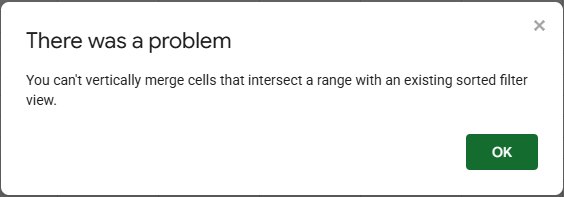
You select two or more cells in a column, choose Format → Merge cells → Merge vertically, and Google Sheets refuses with "You can't vertically merge cells that intersect a range with an existing sorted filter view." The cause is a filter view on those cells that has a sort applied. We reproduced it and tested what actually makes it go away.
Why it happens
A sorted filter view remembers the order of the rows in its range. A vertical merge would glue several rows into one block, and that block couldn't be sorted anymore, so Sheets blocks the merge for any cells inside the filter view's range.
Note the word vertically in the message: the rule is about merges that span several rows, which is exactly what a sort can't handle.
Fix: a temporary filter view
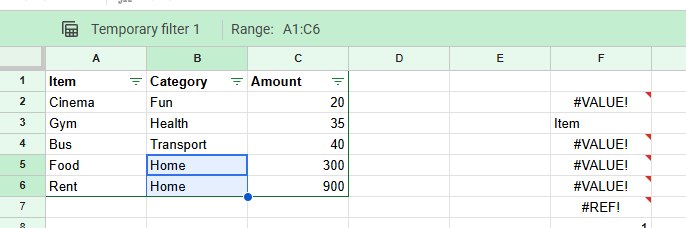
Filter views you haven't saved are called Temporary filter in the green bar above the sheet. Closing one with the X asks "Save your temporary view?"; choose Don't save.
In our test that alone wasn't enough: merging the same cells still gave the error. Sheets' own dialog explains why: unsaved views are removed "if you close this window". After we reloaded the page, the merge worked and only showed the usual warning, "Merging cells will only preserve the top-leftmost value. Merge anyway?"
So: close the temporary view, reload the tab (F5), and merge again.
Fix: a saved filter view
A saved filter view keeps blocking the merge until it no longer sorts that range. Open the view, then either:
- remove its sort, if you still want the view for filtering, or
- delete the view from the options in its green bar, if nobody needs it.
Filter views are shared with everyone who can edit the file, so check with your team before deleting one.
Frequently asked questions
Should I merge cells in a table I want to sort at all?
Usually not. Vertical merges also stop normal sorting and filtering: see "You can't sort a range containing vertical merges". To label groups of rows, repeat the label on every row, or use Format → Alignment to center a title above the data instead of merging.