Fix "You can't merge cells within a table" in Google Sheets
Google Sheets tables (made with Format → Convert to table) don't allow merged cells. If you select cells inside one and choose Format → Merge cells, you get "There was a problem — You can't merge cells within a table."
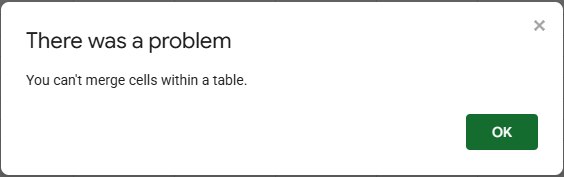
Why tables block merging
A table treats every row as one record and every column as one field, with its own type, filter and sort. A merged cell would belong to two rows or two columns at once, which breaks sorting and filtering. That's why the merge is refused, and why the opposite also happens: you can't convert a range that already has merged cells ("You can't insert a table over a merged range").
Option 1: put the title outside the table (recommended)
Most people merge to make a title or a group label. Keep the table as it is and:
- For a title, write it in a row above the table and merge those cells there. Cells outside the table can be merged normally.
- For a group label (like "Home" for several rows), repeat the label on every row instead. The table can then filter and sort by it, which a merged cell would never allow.
Option 2: turn the table back into a normal range
If you'd rather have the merge than the table features:
- Click the table name tab above the header (for example Table1) to open its menu.
- Choose Revert to unformatted data.
- Select the cells and use Format → Merge cells again.
In our test, reverting kept all the data, and a formula that used the table's column (=SUM(Table1[Fixed])) kept returning the same total. You lose the table's filter buttons, column types and colors.
When you merge cells with text in more than one of them, Sheets warns: "Merging cells will only preserve the top-leftmost value. Merge anyway?" Everything except the top-left value is deleted, so move anything you need first.
Frequently asked questions
Can I center a heading across the table without merging?
Put the heading in a row above the table, outside it. There you can merge freely, or just type it in the first cell and leave the others empty.
How do I find out if a range is a table?
A table has a name tab (Table1) sitting above its header row, and colored header cells with dropdown arrows.